---
title: "Time Blocking: Plan Your Day in Blocks | CalendarBest"
description: "Time blocking means giving every hour of your workday a job in advance. How to set it up, a sample day, the printable method, and the mistakes that sink it."
canonical_url: "https://calendarbest.com/blog/time-blocking"
locale: en
meta:
"og:description": "Time blocking means giving every hour of your workday a job in advance. How to set it up, a sample day, the printable method, and the mistakes that sink it."
"og:image": "https://calendarbest.com/og-image.png"
"og:image:height": "630"
"og:image:type": image/png
"og:image:width": "1200"
"og:title": "Time Blocking: How to Plan Your Day in Blocks, on Paper or Screen"
"twitter:description": "Time blocking means giving every hour of your workday a job in advance. How to set it up, a sample day, the printable method, and the mistakes that sink it."
"twitter:image": "https://calendarbest.com/og-image.png"
"twitter:title": "Time Blocking: How to Plan Your Day in Blocks, on Paper or Screen"
---
> Index of every page on this site: [llms.txt](https://calendarbest.com/llms.txt)
[**Productivity**](https://calendarbest.com/blog)
# **Time Blocking: How to Plan Your Day in Blocks, on Paper or Screen**
Time blocking means giving every hour of your workday a job in advance. How to set it up, a sample day, the printable method, and the mistakes that sink it.
October 27, 20266 min readBy CalendarBest Team
time blockingplanningproductivityweekly planningprintable planner
Time blocking means deciding in advance what you will work on during each part of your day and writing it into your schedule as blocks of time. Instead of a to-do list you pick from as you go, you get a plan that says "9:00 to 11:00: draft the report." When something runs over, you don't abandon the plan; you redraw the rest of the day.
## **Why it works**
A to-do list tells you what to do but not when, and it hides how much time the list really needs. Blocking forces both questions. If your tasks need nine hours and your day has six free, you see it at 8 a.m. rather than at 5 p.m.
It also protects focused work from meetings and messages. A block on the calendar is a commitment you can point to, and it fights Parkinson's law, the observation that work expands to fill the time available. A task with a two-hour block tends to take about two hours; the same task with an open afternoon takes the afternoon.
## **How to set it up**
1. **List what has to happen.** Pull in deadlines, meetings you can't move, and the two or three tasks that would make the day count.
2. **Place the fixed items first.** Meetings, school runs and appointments go on the schedule before anything else.
3. **Put your most demanding work in your best hours.** For most people that is the morning. Give it a block of at least 90 minutes.
4. **Batch the small stuff.** Email, messages, admin and calls go into one or two short blocks instead of being scattered through the day.
5. **Add buffers.** Leave 15 to 30 minutes unassigned in the morning and the afternoon for overruns and interruptions.
6. **Review at the end of the day.** Note what overran, then block tomorrow while today is still fresh.
## **A sample blocked day**
| **Time** | **Block** |
| --- | --- |
| 8:00 to 8:30 | Plan the day, check messages |
| 8:30 to 11:00 | Deep work: main project |
| 11:00 to 11:15 | Buffer |
| 11:15 to 12:00 | Meetings or calls |
| 12:00 to 13:00 | Lunch |
| 13:00 to 14:30 | Second focus block |
| 14:30 to 15:00 | Email and admin batch |
| 15:00 to 16:30 | Meetings, reviews, collaborative work |
| 16:30 to 17:00 | Buffer, then review and block tomorrow |
The exact times matter less than the shape: protected focus time early, shallow work batched, and slack built in.
## **Related methods**
- **Task batching** groups similar small tasks into one block, such as all invoices on Friday afternoon.
- **Day theming** gives whole days a single focus: Monday for planning, Tuesday and Wednesday for production, Friday for admin.
- **Timeboxing** sets a hard limit for a task and stops when time is up, even if the task isn't finished. Time blocking reserves time; timeboxing caps it.
The [timeboxing](https://en.wikipedia.org/wiki/Timeboxing) entry has more on that method and its history.
Most people end up mixing all three: themed days on the week, blocks inside each day, and timeboxes on tasks that tend to sprawl.
## **The printable approach**
Time blocking works well on paper, because a printed day can't quietly reshuffle itself. Every change is visible. A common setup, popularized by Cal Newport's Time-Block Planner, looks like this:
- Rule the page into rows of 30 minutes from the start to the end of your working day.
- Draw your blocks in the first column in the morning.
- When the plan breaks, cross out what's left and redraw the rest of the day in a second column. You can see how far reality drifted from the plan.
- Use the margin for a short task list and notes that don't need a time.
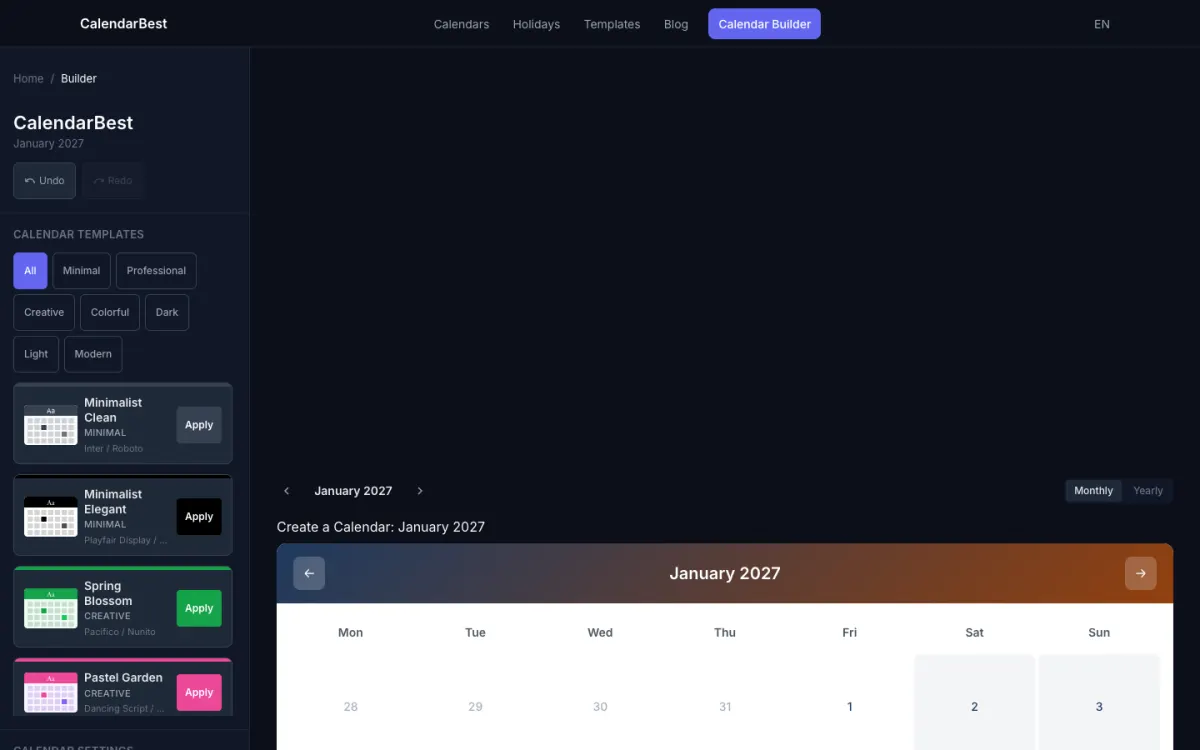
Paper also works at the level above the day. Print a monthly calendar, mark deadlines and fixed commitments, and assign a theme to each day of the week. When you sit down to block a day, the month tells you what the day is for. CalendarBest builds month and year layouts rather than hourly sheets, so this is the layer it handles: start from a [weekly planning template](https://calendarbest.com/templates/weekly), add your deadlines and themed days in the [builder](https://calendarbest.com/builder), and print it next to your daily sheet. If a fixed week structure suits you, [how to create a weekly planning system](https://calendarbest.com/blog/how-to-create-weekly-planning-system) covers the routine around it.
## **Mistakes that make it fail**
- **Blocking every minute.** A plan with no slack breaks at the first interruption. Leave at least an hour of buffer in an eight-hour day.
- **Underestimating tasks.** Most people underestimate how long work takes. Track a week of actual times and adjust your block sizes.
- **Treating the plan as a contract.** The point is to decide what to do next on purpose, not to hit every block. Redrawing is part of the method.
- **Ignoring energy.** Putting demanding work in your slowest hours means it gets done badly or not at all.
- **Blocking only work.** Exercise, meals and the end of the workday need blocks too, or they get eaten by everything else.
## **Start small**
Block tomorrow only, then do it again for a week. If the plan held together on three days out of five, you are doing it right. Once the daily habit sticks, plan by the quarter as well: [quarters of the year](https://calendarbest.com/blog/quarters-of-the-year-q1-q4-dates) lists the Q1 to Q4 dates, and the [2026 calendar](https://calendarbest.com/calendar/2026) gives you the working days in each month.
## **Frequently asked questions**
Time blocking is planning your day by assigning each part of it to a specific task or type of work in advance, so your calendar shows what you will do and when.
Time blocking reserves a slot in your schedule for a task. Timeboxing sets a hard limit on how long a task may take and stops when the time is up.
Yes. Rule a page into 30-minute rows, draw your blocks in the morning, and redraw the rest of the day in a second column when plans change.
[Back to Blog](https://calendarbest.com/blog)
## **You Might Also Like**
[**Weekly Planning: How to Build a System with Time Blocking**
Weekly planning made simple: a 30-minute routine, three priorities and time blocking, explained. Then plan each week on a free printable monthly calendar PDF.Jul 8, 20265 min read](https://calendarbest.com/blog/how-to-create-weekly-planning-system) [**Goal Setting Calendar: How to Plan Goals and Milestones**
Build a goal setting calendar that works: SMART goals, dated milestones, time blocks and weekly reviews. Then print it free as a PDF, no signup needed.Jun 25, 20265 min read](https://calendarbest.com/blog/calendar-goal-setting) [**Paper Calendar vs Digital Calendar: Why Paper Still Earns a Place**
Paper calendar vs digital: what each does best, what the research on handwriting shows, and how to print a free monthly or yearly calendar as a PDF, no signup.Aug 5, 20264 min read](https://calendarbest.com/blog/why-use-paper-calendar-digital-age)
## **Create your own calendar**
Design and export custom calendars in minutes. No account required.
[**Open Calendar Builder **](https://calendarbest.com/builder)
```json
{"@context":"https://schema.org","@type":"FAQPage","mainEntity":[{"@type":"Question","name":"What is time blocking?","acceptedAnswer":{"@type":"Answer","text":"Time blocking is planning your day by assigning each part of it to a specific task or type of work in advance, so your calendar shows what you will do and when."}},{"@type":"Question","name":"What is the difference between time blocking and timeboxing?","acceptedAnswer":{"@type":"Answer","text":"Time blocking reserves a slot in your schedule for a task. Timeboxing sets a hard limit on how long a task may take and stops when the time is up."}},{"@type":"Question","name":"Can you time block on paper?","acceptedAnswer":{"@type":"Answer","text":"Yes. Rule a page into 30-minute rows, draw your blocks in the morning, and redraw the rest of the day in a second column when plans change."}}]}
```
```json
{"@context":"https://schema.org","@graph":[{"@id":"https://calendarbest.com/#website","@type":"WebSite","description":"Free calendar-to-PDF generator with a visual builder. Design monthly or yearly calendar layouts and export high-quality PDFs.","inLanguage":"en","name":"CalendarBest","url":"https://calendarbest.com/","potentialAction":[{"@type":"SearchAction","target":{"@type":"EntryPoint","urlTemplate":"https://calendarbest.com/builder?q={search_term_string}"},"query-input":{"@type":"PropertyValueSpecification","valueRequired":true,"valueName":"search_term_string"}}],"publisher":{"@id":"https://calendarbest.com/#/schema/organization/1"},"workTranslation":[{"@id":"https://calendarbest.com/de#website"},{"@id":"https://calendarbest.com/fr#website"},{"@id":"https://calendarbest.com/es#website"},{"@id":"https://calendarbest.com/it#website"},{"@id":"https://calendarbest.com/pt#website"}]},{"@id":"https://calendarbest.com/blog/time-blocking#webpage","@type":"WebPage","dateModified":"2026-10-27","datePublished":"2026-10-27","description":"Time blocking means giving every hour of your workday a job in advance. How to set it up, a sample day, the printable method, and the mistakes that sink it.","name":"Time Blocking: Plan Your Day in Blocks","url":"https://calendarbest.com/blog/time-blocking","breadcrumb":{"@id":"https://calendarbest.com/blog/time-blocking#breadcrumb"},"isPartOf":{"@id":"https://calendarbest.com/#website"},"potentialAction":[{"@type":"ReadAction","target":["https://calendarbest.com/blog/time-blocking"]}],"primaryImageOfPage":{"@id":"https://calendarbest.com/#logo"}},{"@id":"https://calendarbest.com/#identity","@type":"Organization","description":"Free calendar-to-PDF generator with a visual builder. Design monthly or yearly calendar layouts and export high-quality PDFs.","name":"CalendarBest","url":"https://calendarbest.com","logo":{"@id":"https://calendarbest.com/#logo"}},{"@id":"https://calendarbest.com/blog/time-blocking#/schema/software-application/1","@type":"SoftwareApplication","applicationCategory":"DesignApplication","name":"CalendarBest","operatingSystem":"Web","offers":{"@type":"Offer","availability":"https://schema.org/InStock","price":0,"priceCurrency":"USD","priceValidUntil":"2027-12-30T00:00:00.000Z"}},{"@id":"https://calendarbest.com/blog/time-blocking#article","@type":"Article","dateModified":"2026-10-27","datePublished":"2026-10-27","description":"Time blocking means giving every hour of your workday a job in advance. How to set it up, a sample day, the printable method, and the mistakes that sink it.","headline":"Time Blocking: How to Plan Your Day in Blocks, on Paper or Screen","inLanguage":"en","thumbnailUrl":"https://calendarbest.com/og-image.png","author":{"@id":"https://calendarbest.com/#/schema/organization/1"},"image":{"@id":"https://calendarbest.com/#/schema/image/1"},"isPartOf":{"@id":"https://calendarbest.com/blog/time-blocking#webpage"},"mainEntityOfPage":{"@id":"https://calendarbest.com/blog/time-blocking#webpage"},"publisher":{"@id":"https://calendarbest.com/#identity"}},{"@id":"https://calendarbest.com/blog/time-blocking#breadcrumb","@type":"BreadcrumbList","itemListElement":[{"@type":"ListItem","name":"Home","item":"https://calendarbest.com","position":1},{"@type":"ListItem","name":"Blog","item":"https://calendarbest.com/blog","position":2},{"@type":"ListItem","name":"Time Blocking: How to Plan Your Day in Blocks, on Paper or Screen","position":3}]},{"@id":"https://calendarbest.com/#/schema/organization/1","@type":"Organization","name":"CalendarBest Team","url":"https://calendarbest.com/about"},{"@id":"https://calendarbest.com/#logo","@type":"ImageObject","caption":"CalendarBest","contentUrl":"https://calendarbest.com/logo.png","inLanguage":"en","url":"https://calendarbest.com/logo.png"},{"@id":"https://calendarbest.com/#/schema/image/1","@type":"ImageObject","contentUrl":"https://calendarbest.com/og-image.png","inLanguage":"en","url":"https://calendarbest.com/og-image.png"}]}
```
## Sitemap
See the full [sitemap](https://calendarbest.com/sitemap.md) for all pages.